
Create a Time Travel Vlog Video in 3 Steps
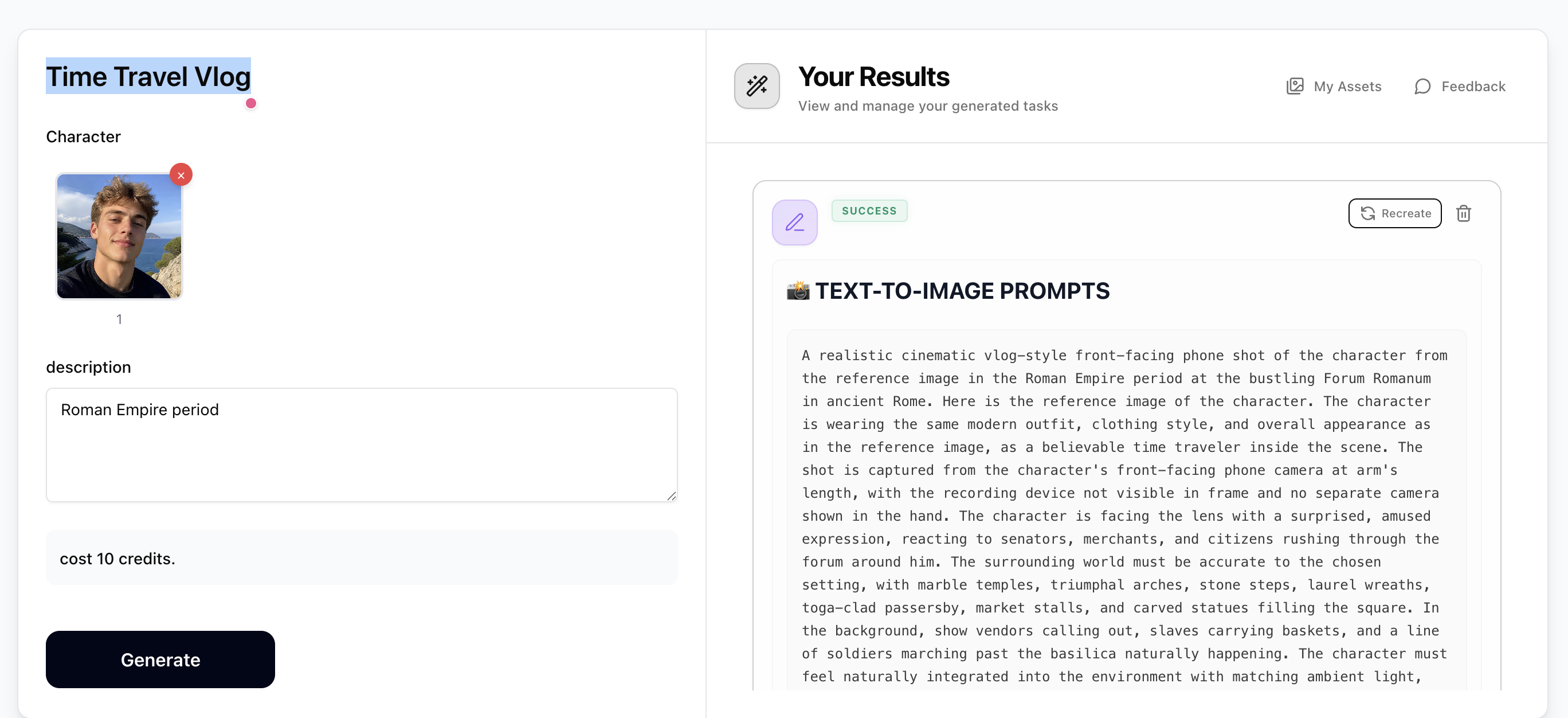
Step 1: Generate Prompts with Time Travel Vlog
Upload a photo of yourself (optional) and enter a scenario — any historical era, fictional universe, or future world (e.g. Ancient Rome 44 BC, Cyberpunk Tokyo 2099, Viking raid on Lindisfarne). The prompt generator will output 5 cinematic text-to-image prompts and 5 matching text-to-video prompts, all in realistic vlog-style front-facing phone camera perspective. If you upload a photo, prompts use Self-Insert Mode to place you in the scene. Costs just 10 credits.
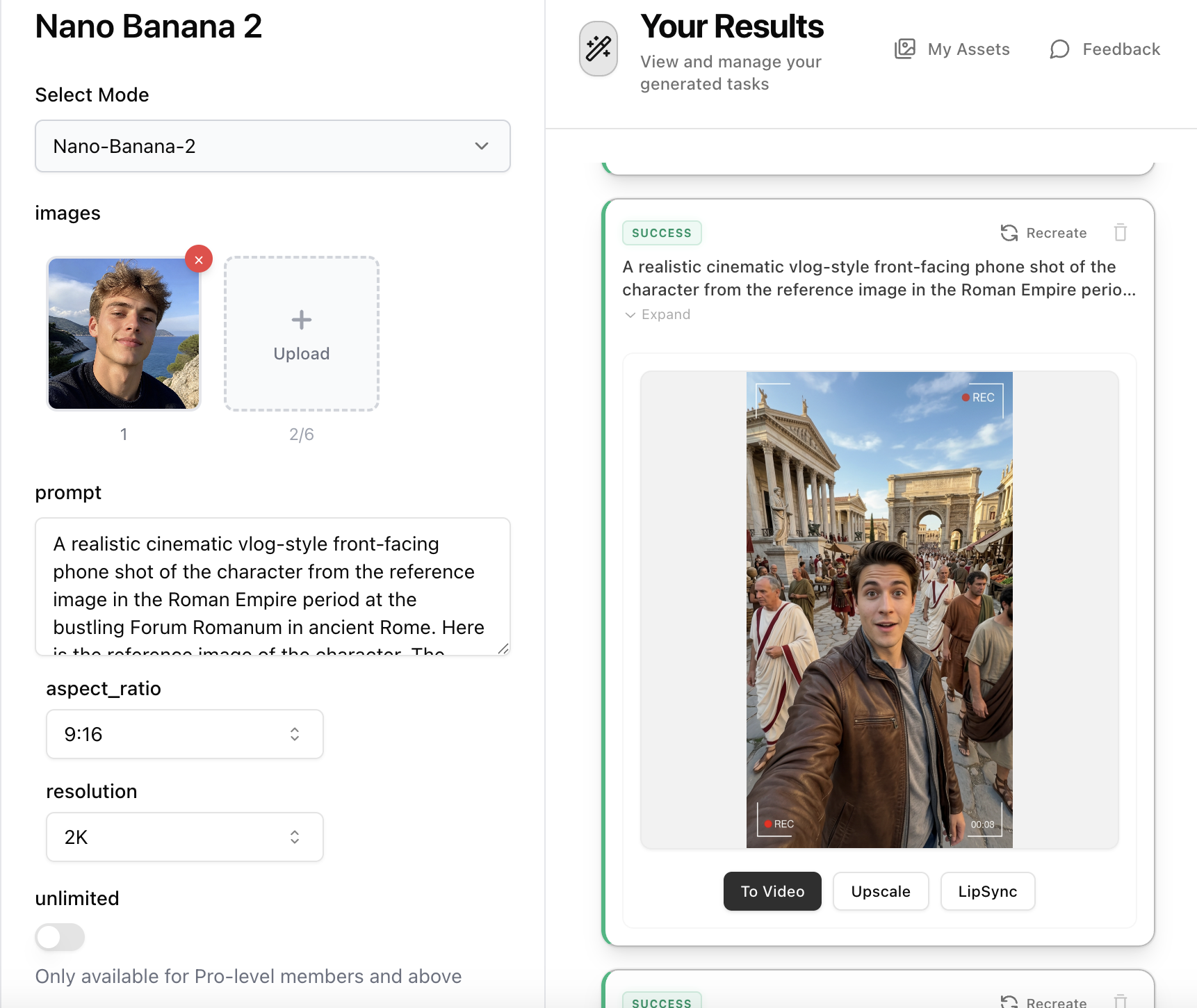
Step 2: Create Vlog Images with Nano Banana 2
Open Nano Banana 2, paste a text-to-image prompt from Step 1 into the prompt field. If you used Self-Insert Mode, upload your character photo as a reference image — the prompt will instruct the model to match your appearance. Set aspect ratio to 9:16 (vertical vlog format) and resolution to 2K, then generate your cinematic vlog-style selfie image.
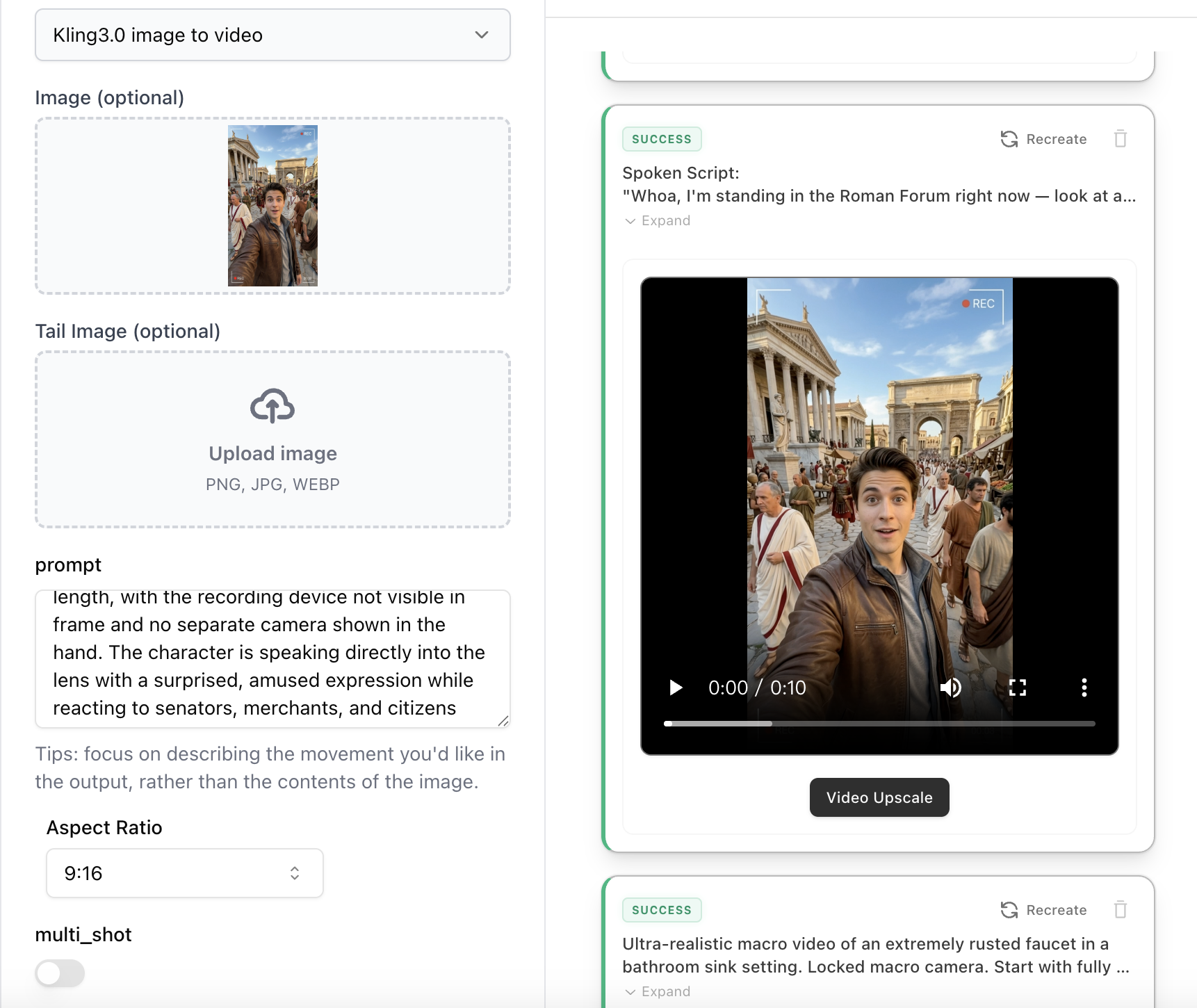
Step 3: Animate with Kling 3.0 Image-to-Video
Open Kling 3.0 Image-to-Video, upload the vlog image from Step 2. Paste the matching text-to-video prompt from Step 1 as your motion description — it includes spoken dialogue, character reactions, and environmental movement. Turn off Multi Shot, set duration to 5–10s, select Standard or Pro mode, and generate your immersive time travel vlog clip with realistic handheld motion and cinematic atmosphere.