
Create a Slime Face Video in 3 Steps
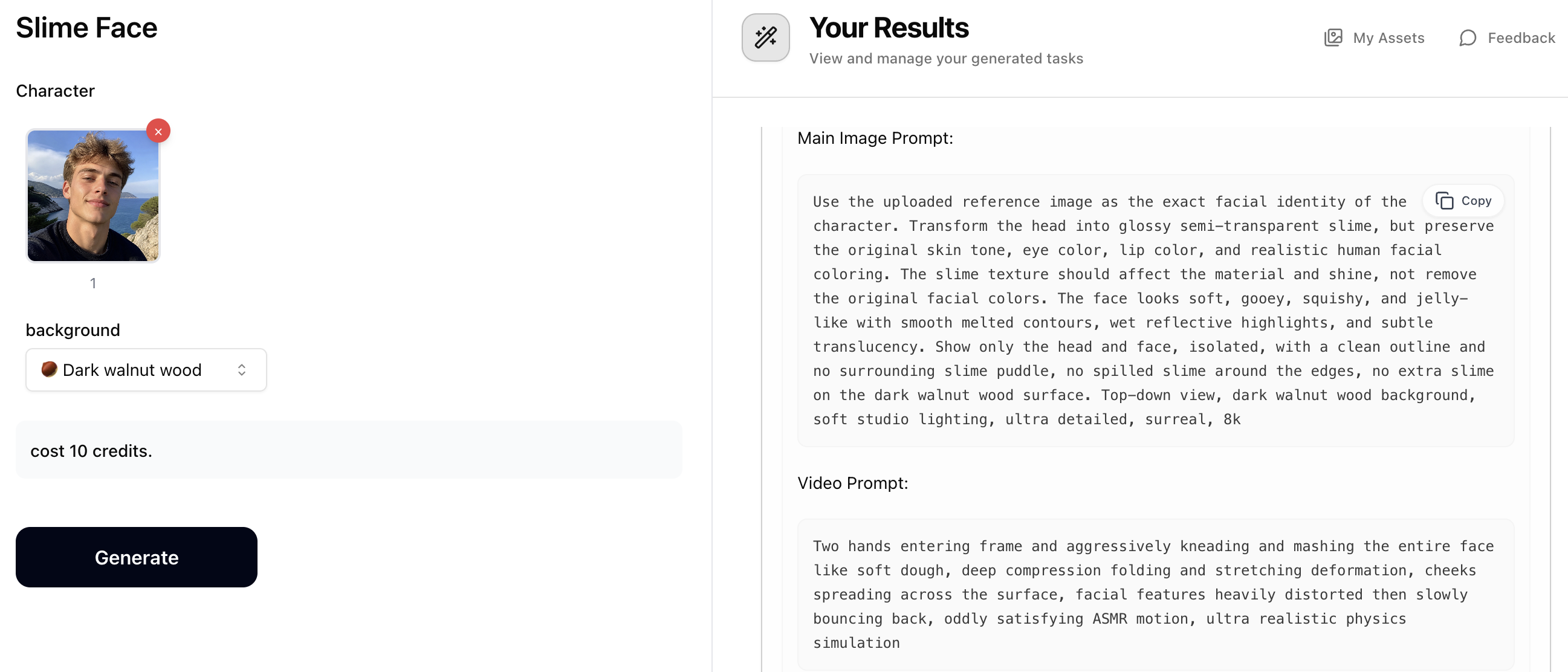
Step 1: Generate Prompts with Slime Face
Upload a character photo and choose a material background (marble, wood, steel, glass, and more). The Slime Face prompt generator will output two prompts: a 'Main Image Prompt' for creating the slime portrait image, and a 'Video Prompt' for animating it later. Copy both prompts — you'll use them in the next steps. Costs just 10 credits.
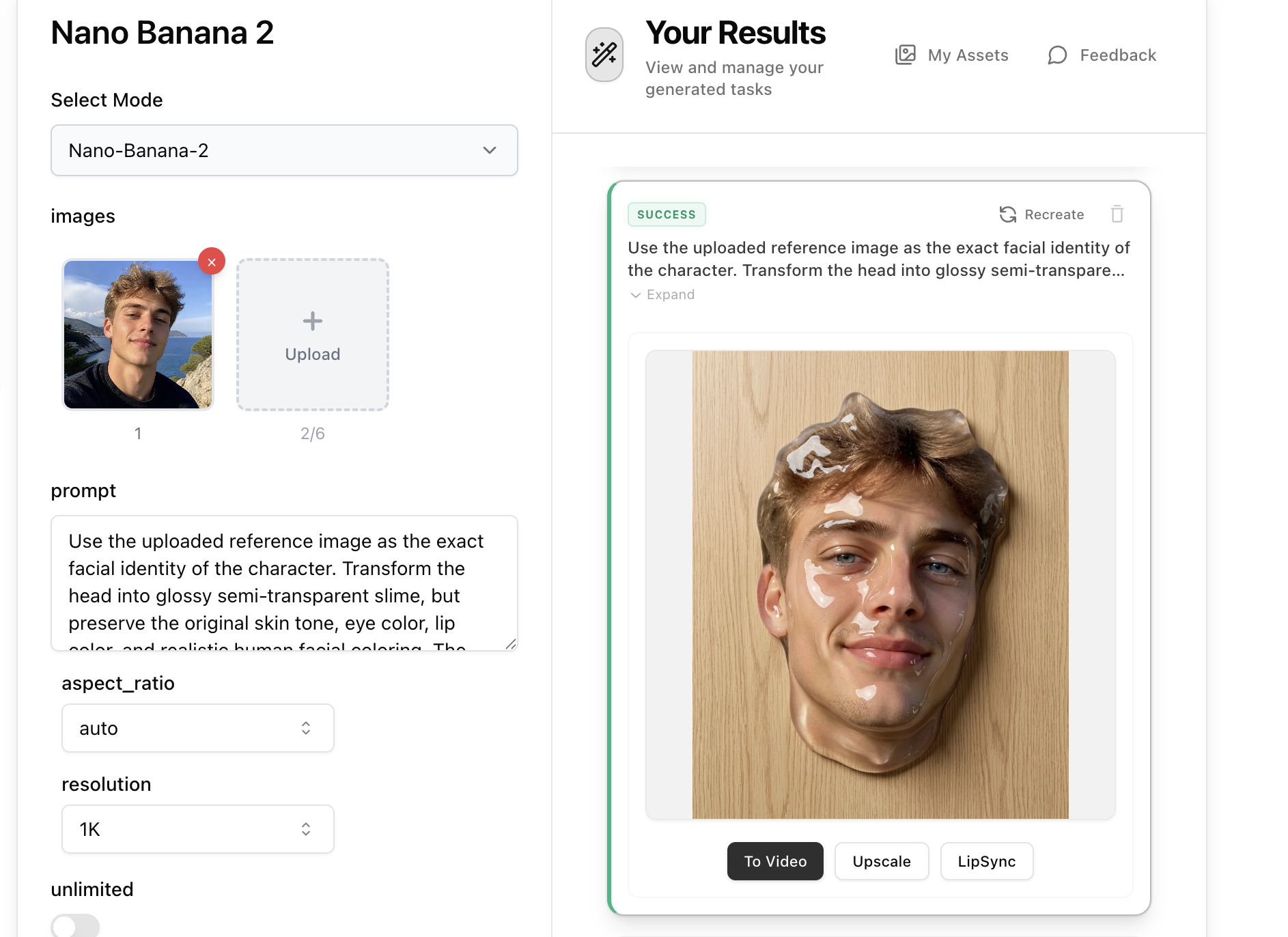
Step 2: Create the Slime Image with Nano Banana 2
Open Nano Banana 2, upload your original character photo as a reference image, then paste the 'Main Image Prompt' from Step 1 into the prompt field. Set aspect ratio to 9:16 and resolution to 2K for the best result, then generate. Nano Banana 2 will render a hyper-realistic slime face portrait based on the prompt and your reference photo.
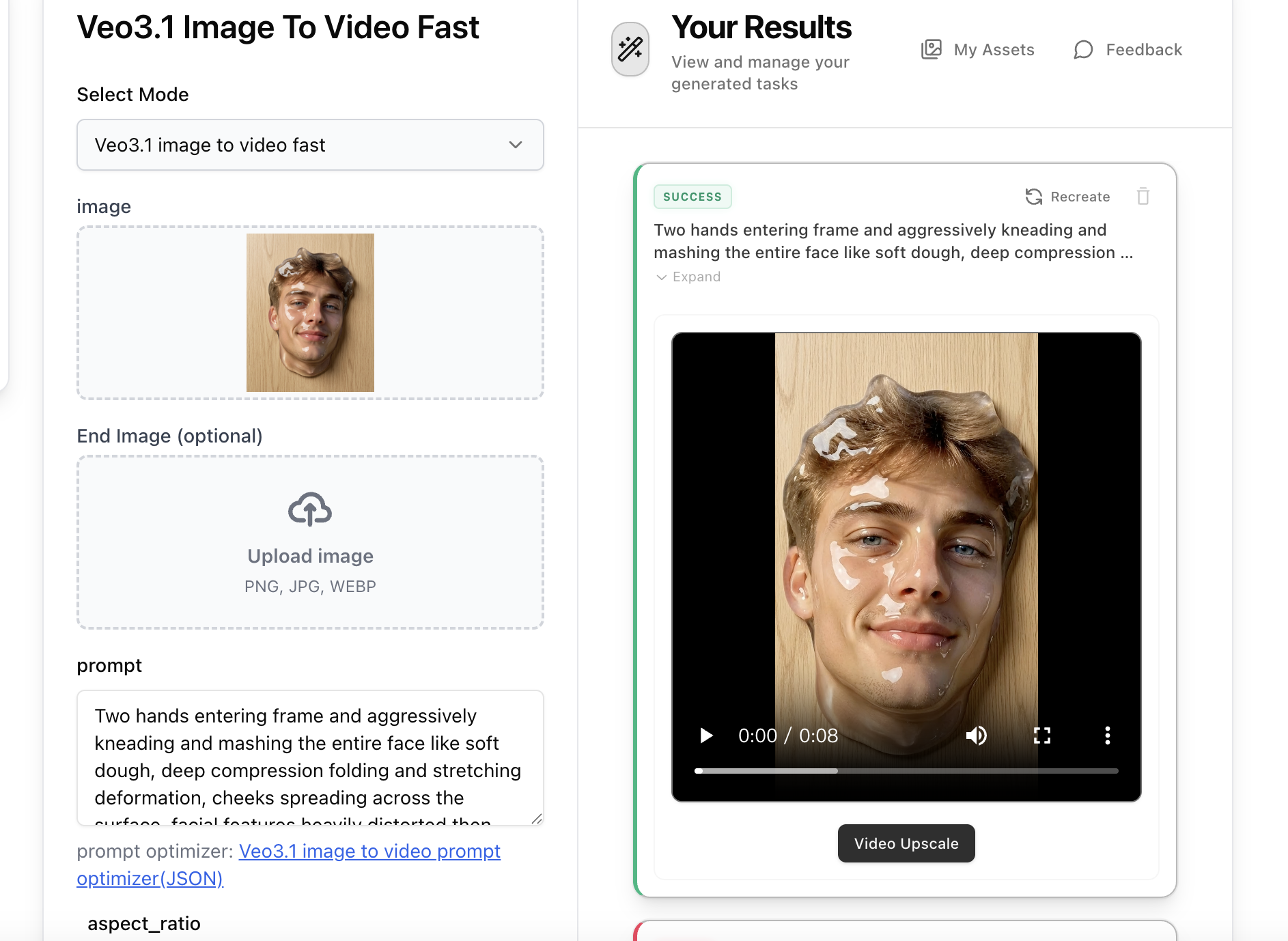
Step 3: Animate with Veo3.1 Image-to-Video
Open Veo3.1 Image-to-Video, upload the slime face image generated in Step 2, then paste the 'Video Prompt' from Step 1 into the prompt field. The video prompt describes hands kneading and mashing the slime face with satisfying ASMR motion. Select 9:16 aspect ratio and generate your animated slime face video.