
Create a Talking Object Video in 3 Steps
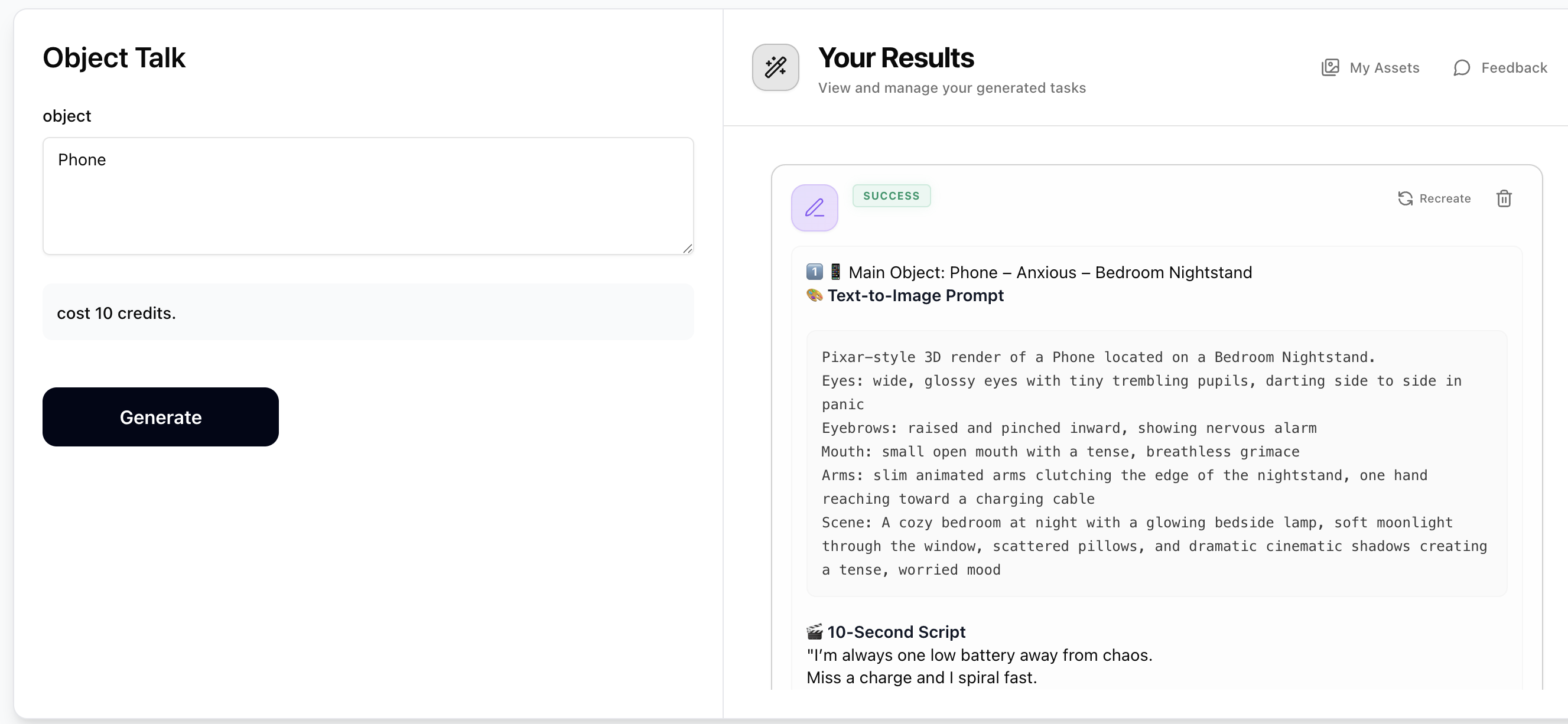
Step 1: Generate Prompts with Object Talk
Enter any everyday object (e.g. Smartphone, Coffee mug, Toaster, Running shoe). The Object Talk prompt generator will output 5 Pixar-style talking object concepts — your main object plus 4 related ones. Each concept includes a 'Text-to-Image Prompt' describing the 3D character with facial expressions and arm gestures, and a '10-Second Script' for the voiceover. Copy both for the object you want to create. Costs just 10 credits.
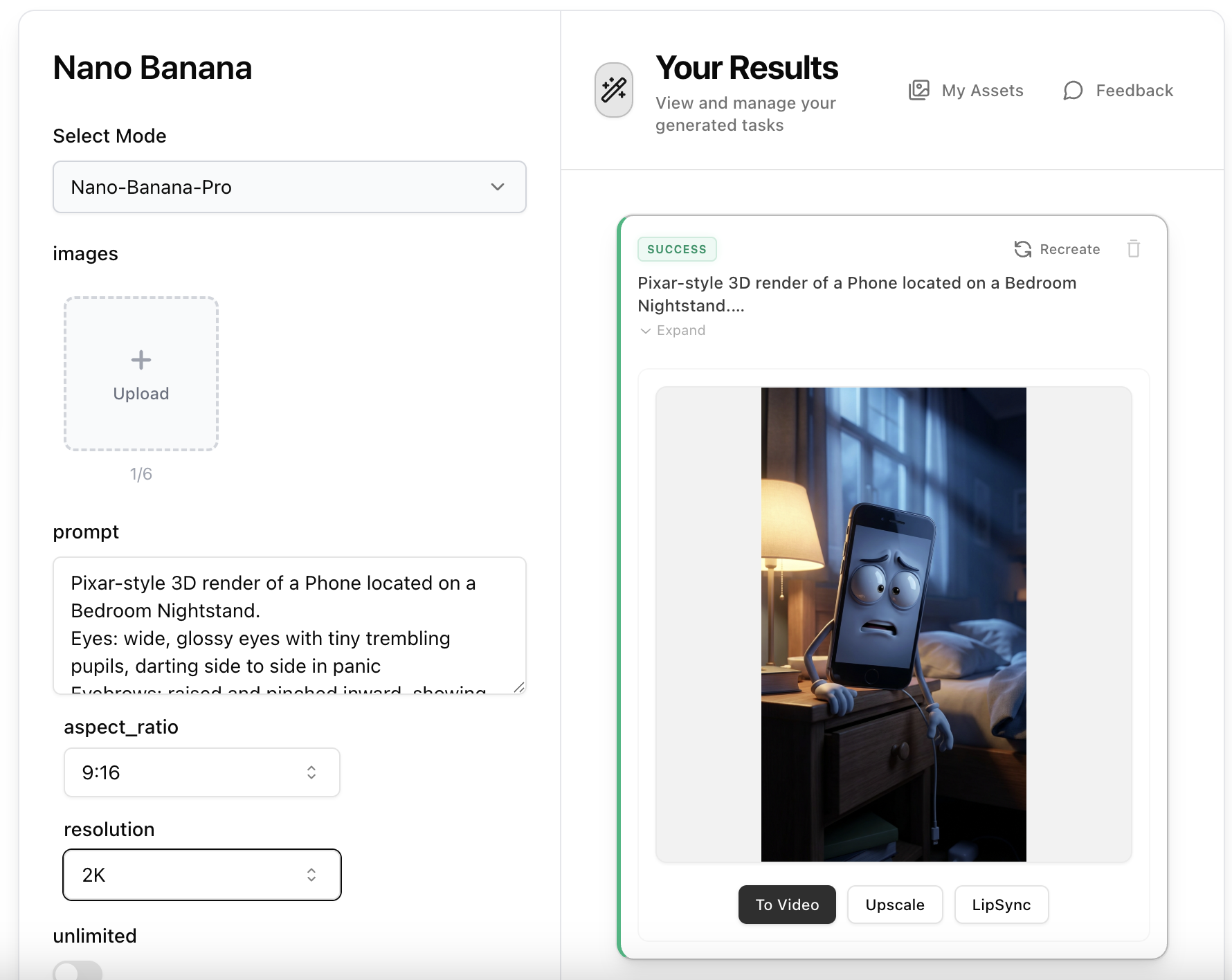
Step 2: Create the Object Character Image with Nano Banana Pro
Open Nano Banana Pro, paste the 'Text-to-Image Prompt' from Step 1 into the prompt field. No reference image is needed — the prompt contains all visual details including the Pixar-style 3D render, facial features, arm gestures, and cinematic lighting. Set aspect ratio to 9:16 and resolution to 2K, then generate your Pixar-style talking object character image.
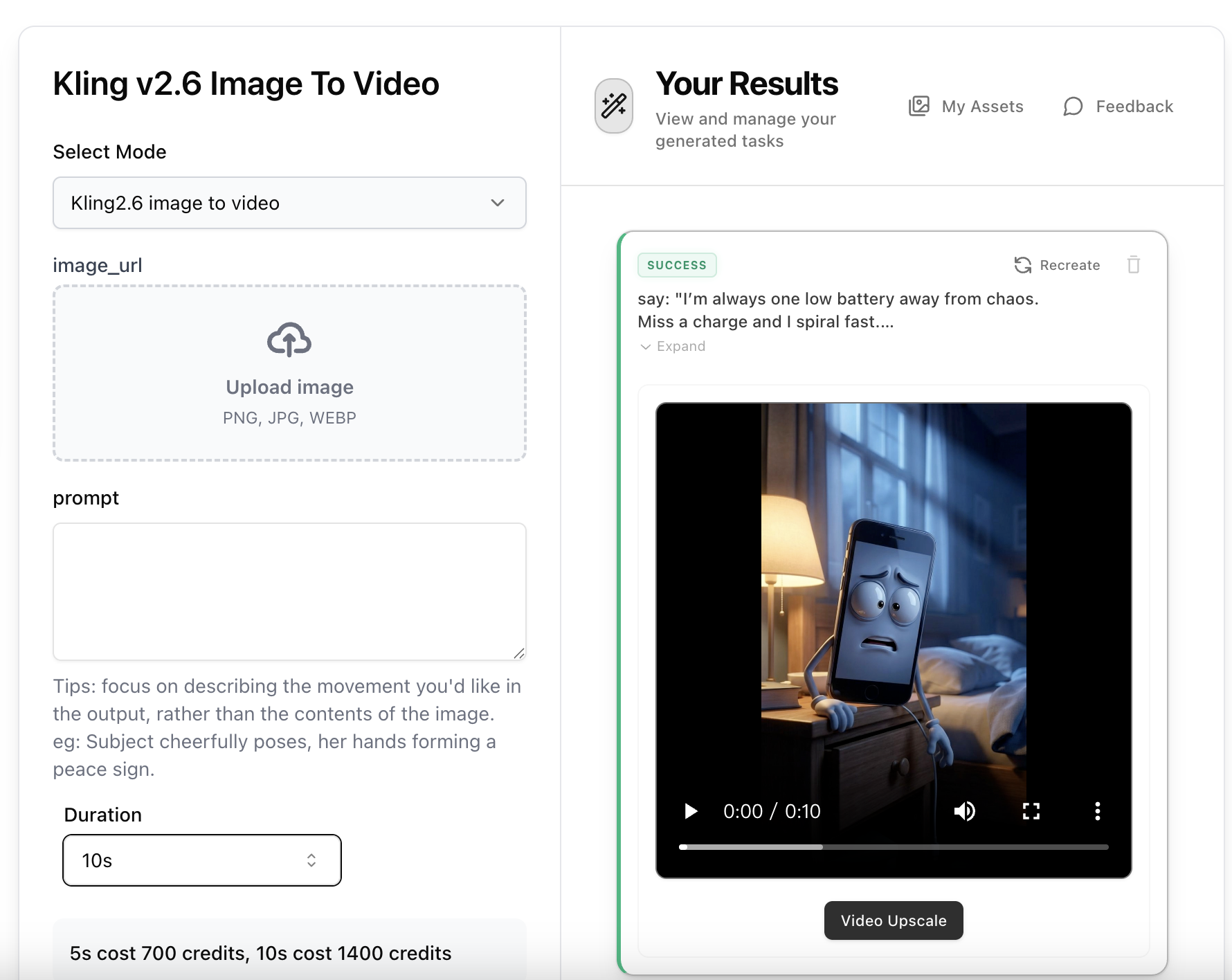
Step 3: Animate with Kling 2.6 Image-to-Video
Open Kling 2.6 Image-to-Video, upload the object character image from Step 2. Use the '10-Second Script' from Step 1 as inspiration for your motion prompt — describe the character's mouth moving, arms gesturing, and body language matching the emotion (e.g. 'The smartphone character waves its arms dramatically while ranting, mouth opening and closing with exaggerated expressions'). Select 5s or 10s duration and generate your animated talking object video.