
SJinn
Explore Everygen AI

Everygen AI

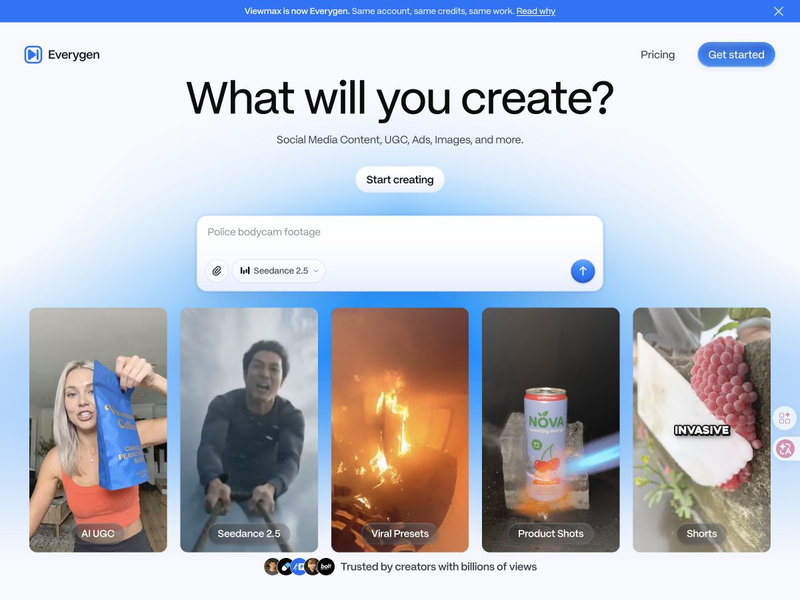
Everygen brings AI video, images, short-form content, and ad creation into one creative suite. Click the input box below to use similar features on SJinn.

What is Everygen AI?

Everygen is the creative suite at everygen.ai, previously called Viewmax. It combines AI media generation with workflows for social videos and advertising. Its rebrand announcement says existing accounts, subscriptions, credits, projects, and generated files carry over, so returning Viewmax users can continue with their existing work.

What is Everygen AI?

Key Everygen AI Features

From a reusable short-video format to a finished ad, explore the main creation workflows.

Shorts Studio and Reusable Formats visual

Feature 01

Shorts Studio and Reusable Formats

Shorts Studio offers video templates for platforms including YouTube Shorts, TikTok, and Instagram Reels. Pick a format, adapt the scene or story, and use its prompt builder and generation settings to make a new version.


Marketing Studio and UGC Ads visual

Feature 02

Marketing Studio and UGC Ads

Everygen pairs ad templates and realistic avatars with scripting, voiceovers, editing, and generated b-roll. Its ad-cloning workflow can adapt an uploaded ad with a different avatar and voice while retaining the original structure.

AI Video and Image Model Choice visual

Feature 03

AI Video and Image Model Choice

The model catalog spans video and image generation, with names such as Seedance, Kling, Veo, and Nano Banana. Choose a model for the creative task, then work with prompts and supported inputs. Available models and settings can change.

Voiceovers, Scripts, and Captions visual

Feature 04

Voiceovers, Scripts, and Captions

Voiceover generation, scriptwriting, and automatic captions support the steps around a video edit. These tools help develop spoken content and prepare a captioned version alongside the visual assets; their credit usage depends on the operation.

Frequently Asked Questions

Common questions about Everygen AI and the Viewmax rebrand

Start creating

Turn your next idea into an AI video

Describe a scene, add reference images when needed, and choose a video model in Studio to begin creating.

Start Creating