
Slime Face AI Video Generator | Create Slime Face Effect
Vos résultats
Consultez et gérez vos tâches générées
Découvrez comment ça fonctionne
Aperçu des résultats que vous pouvez créer
Voici une démonstration de ce que vous pouvez créer avec cet outil. Essayez vous-même en créant une nouvelle tâche !
Create a Slime Face Video in 3 Steps
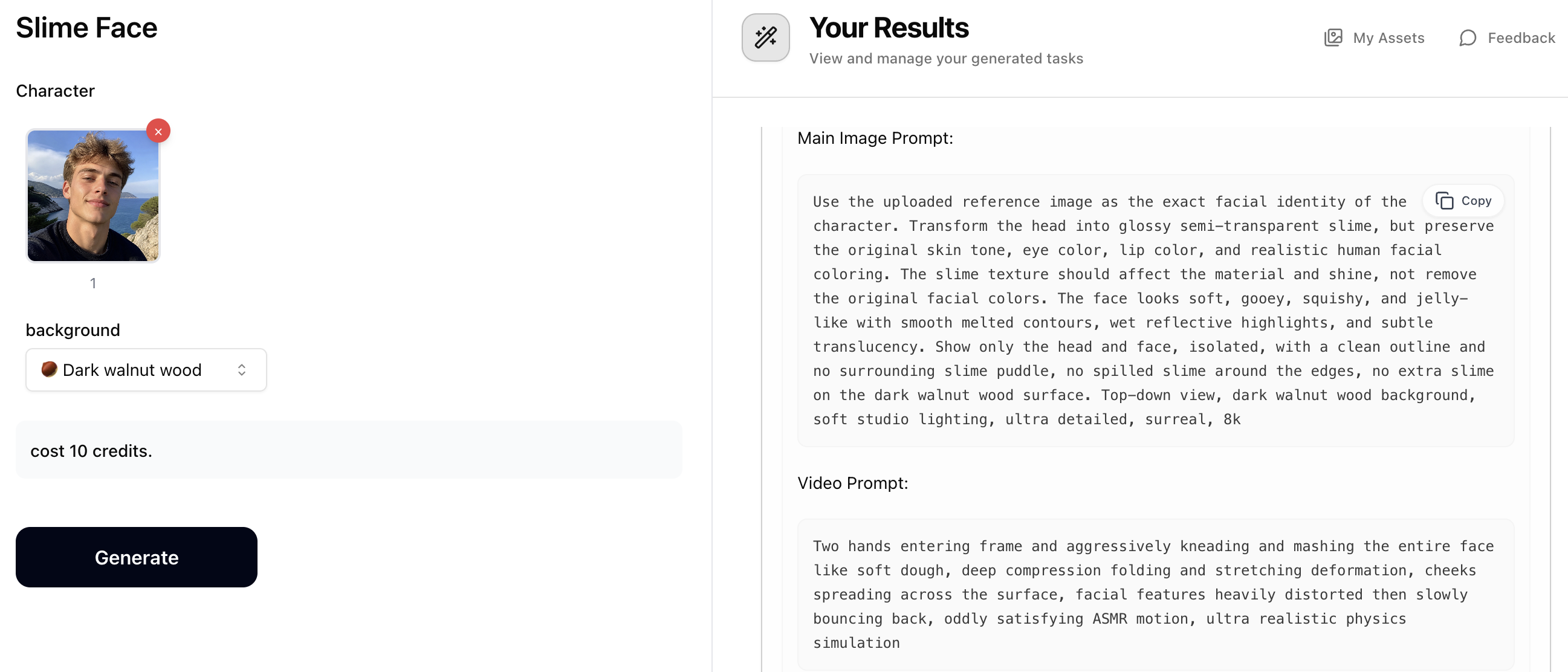
Step 1: Generate Prompts with Slime Face
Upload a character photo and choose a material background (marble, wood, steel, glass, and more). The Slime Face prompt generator will output two prompts: a 'Main Image Prompt' for creating the slime portrait image, and a 'Video Prompt' for animating it later. Copy both prompts — you'll use them in the next steps. Costs just 10 credits.
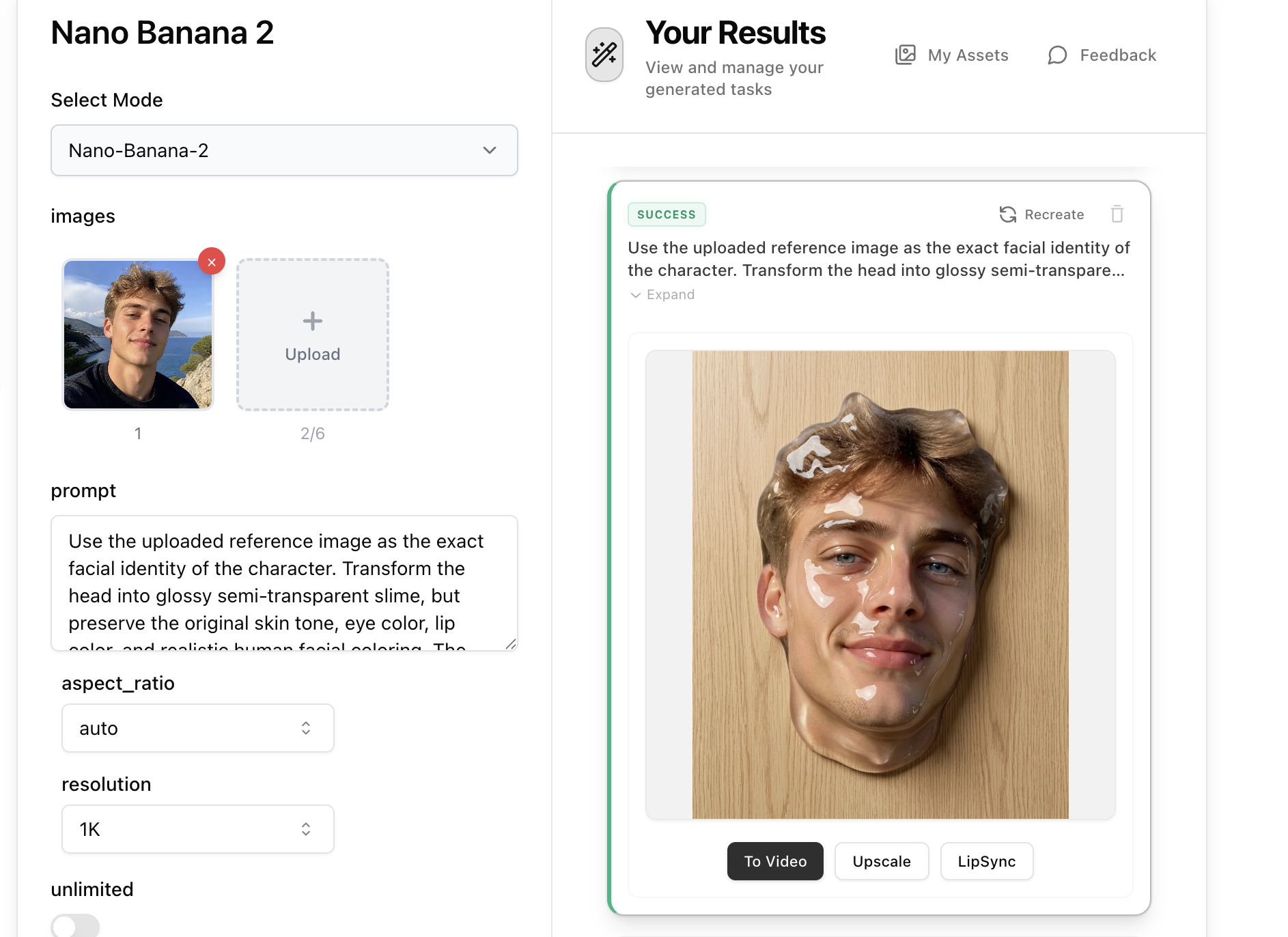
Step 2: Create the Slime Image with Nano Banana 2
Open Nano Banana 2, upload your original character photo as a reference image, then paste the 'Main Image Prompt' from Step 1 into the prompt field. Set aspect ratio to 9:16 and resolution to 2K for the best result, then generate. Nano Banana 2 will render a hyper-realistic slime face portrait based on the prompt and your reference photo.
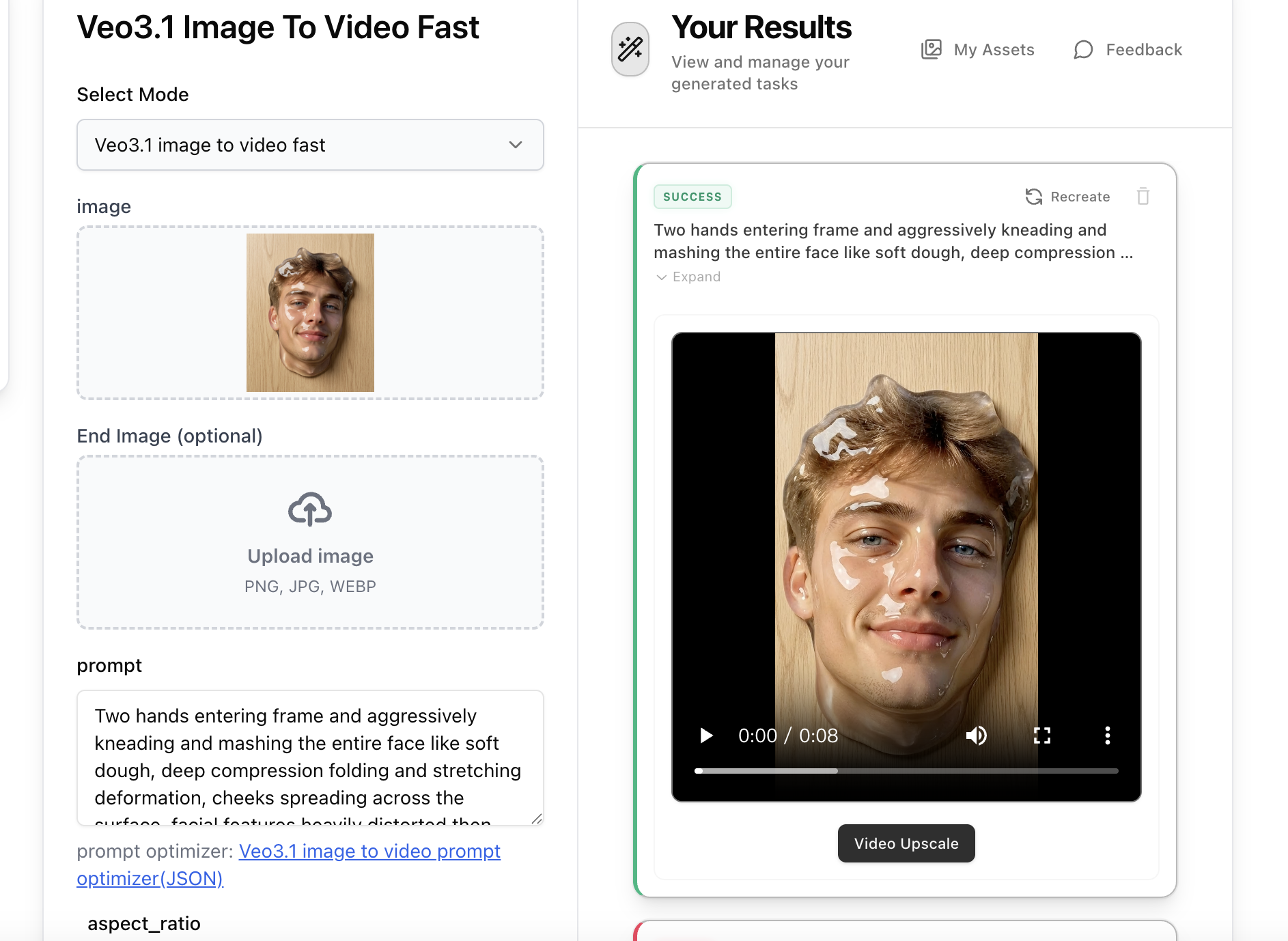
Step 3: Animate with Veo3.1 Image-to-Video
Open Veo3.1 Image-to-Video, upload the slime face image generated in Step 2, then paste the 'Video Prompt' from Step 1 into the prompt field. The video prompt describes hands kneading and mashing the slime face with satisfying ASMR motion. Select 9:16 aspect ratio and generate your animated slime face video.