
Food Eating Itself
Ваши результаты
Просматривайте и управляйте сгенерированными задачами
Посмотрите, как это работает
Предпросмотр результатов, которые вы можете создать
Это демонстрация того, что вы можете создать с помощью этого инструмента. Попробуйте сами, создав новую задачу!
Create a Food Eating Itself Video in 3 Steps
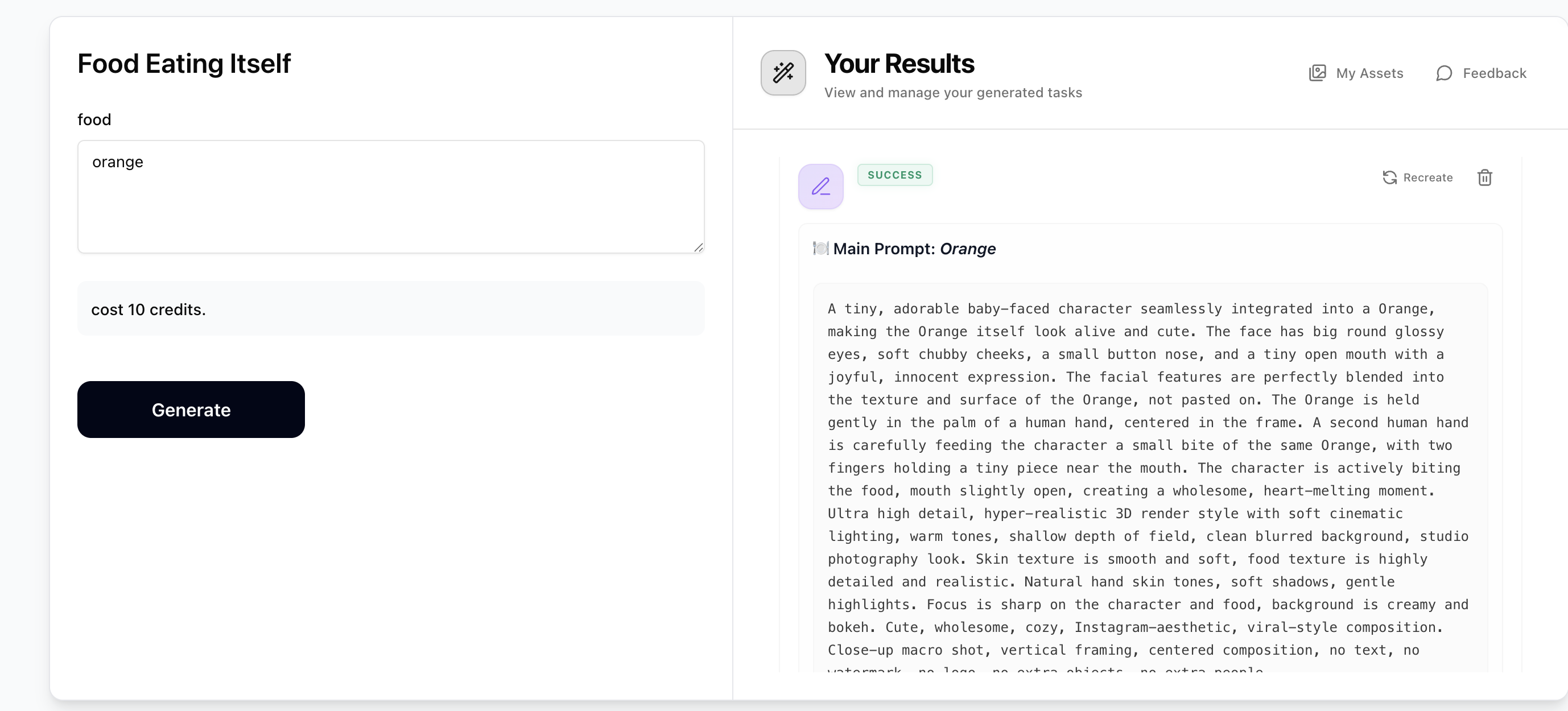
Step 1: Generate Prompts with Food Eating Itself
Enter any food item (e.g. pear, chicken wing, apple, orange). The prompt generator will output 5 text-to-image prompts — one for your main food plus 4 related foods. Each prompt describes an adorable baby-faced character seamlessly integrated into the food, being fed a tiny piece of itself. Copy the prompt for the food you want to create. Costs just 10 credits.
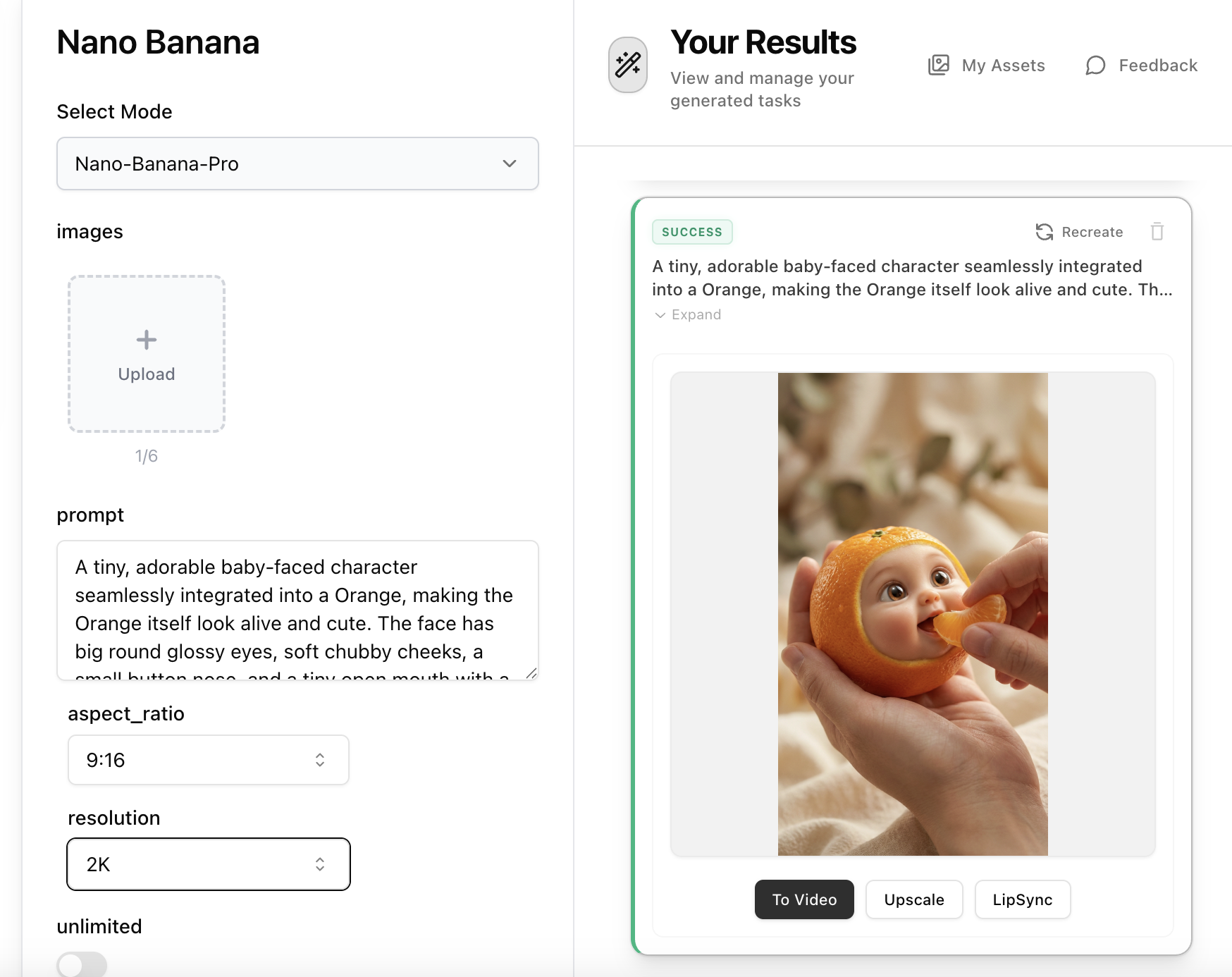
Step 2: Create the Food Character Image with Nano Banana Pro
Open Nano Banana Pro, paste the text-to-image prompt from Step 1 into the prompt field. No reference image is needed — the prompt contains all visual details including the baby face, food texture, hand positioning, and studio lighting. Set aspect ratio to 9:16 and resolution to 2K, then generate your hyper-realistic food character image.
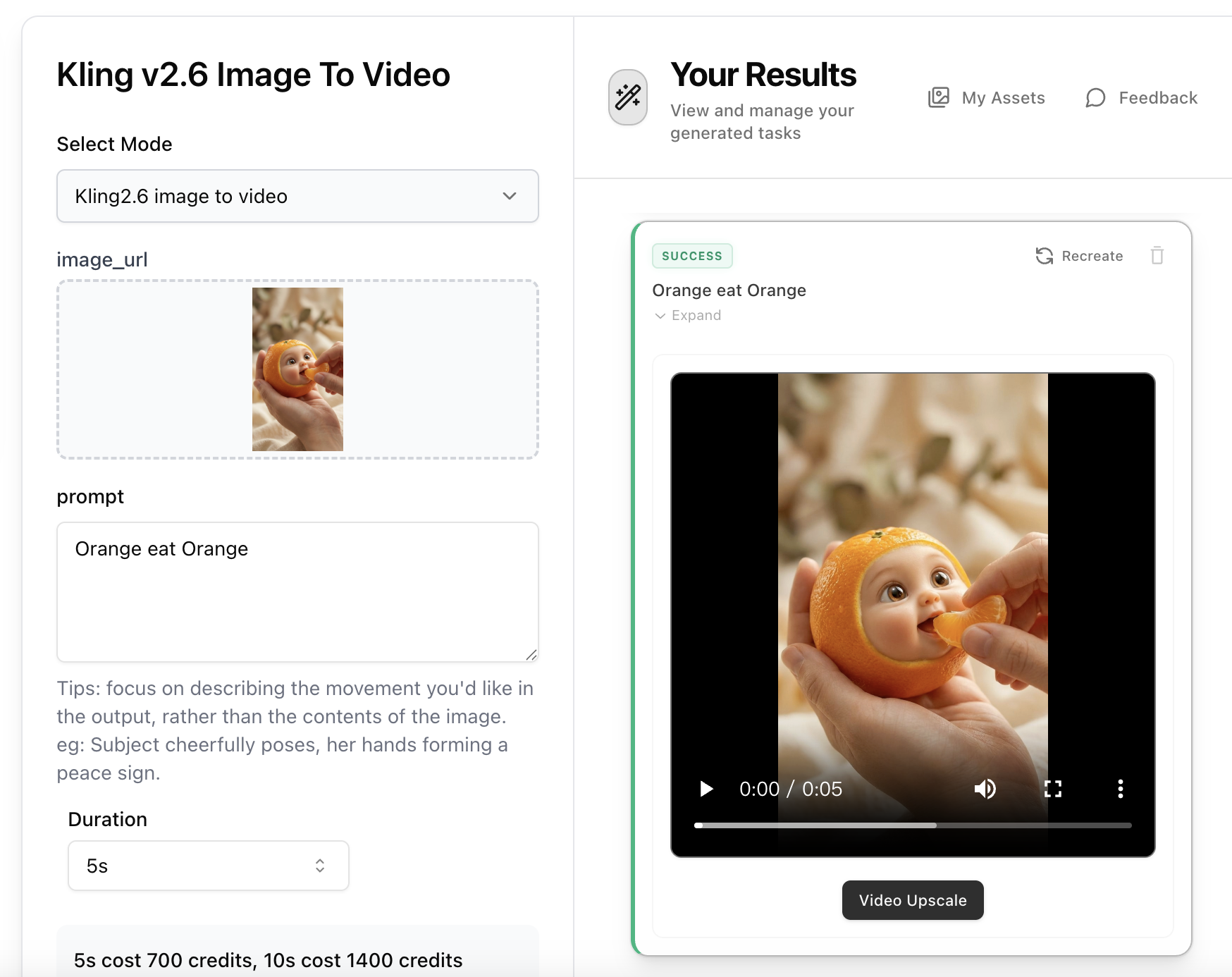
Step 3: Animate with Kling 2.6 Image-to-Video
Open Kling 2.6 Image-to-Video, upload the food character image from Step 2. Write a short motion prompt describing the character chewing and reacting — e.g. 'The tiny food character opens its mouth wide, bites the piece of food, chews happily with squished cheeks, eyes closing in delight'. Select 5s or 10s duration and generate your adorable animated food video.