
Flying Dragon AI | First-Person Dragon Riding Prompt Generator
Ваши результаты
Просматривайте и управляйте сгенерированными задачами
Посмотрите, как это работает
Предпросмотр результатов, которые вы можете создать
Это демонстрация того, что вы можете создать с помощью этого инструмента. Попробуйте сами, создав новую задачу!
Create a Dragon Riding Video in 3 Steps
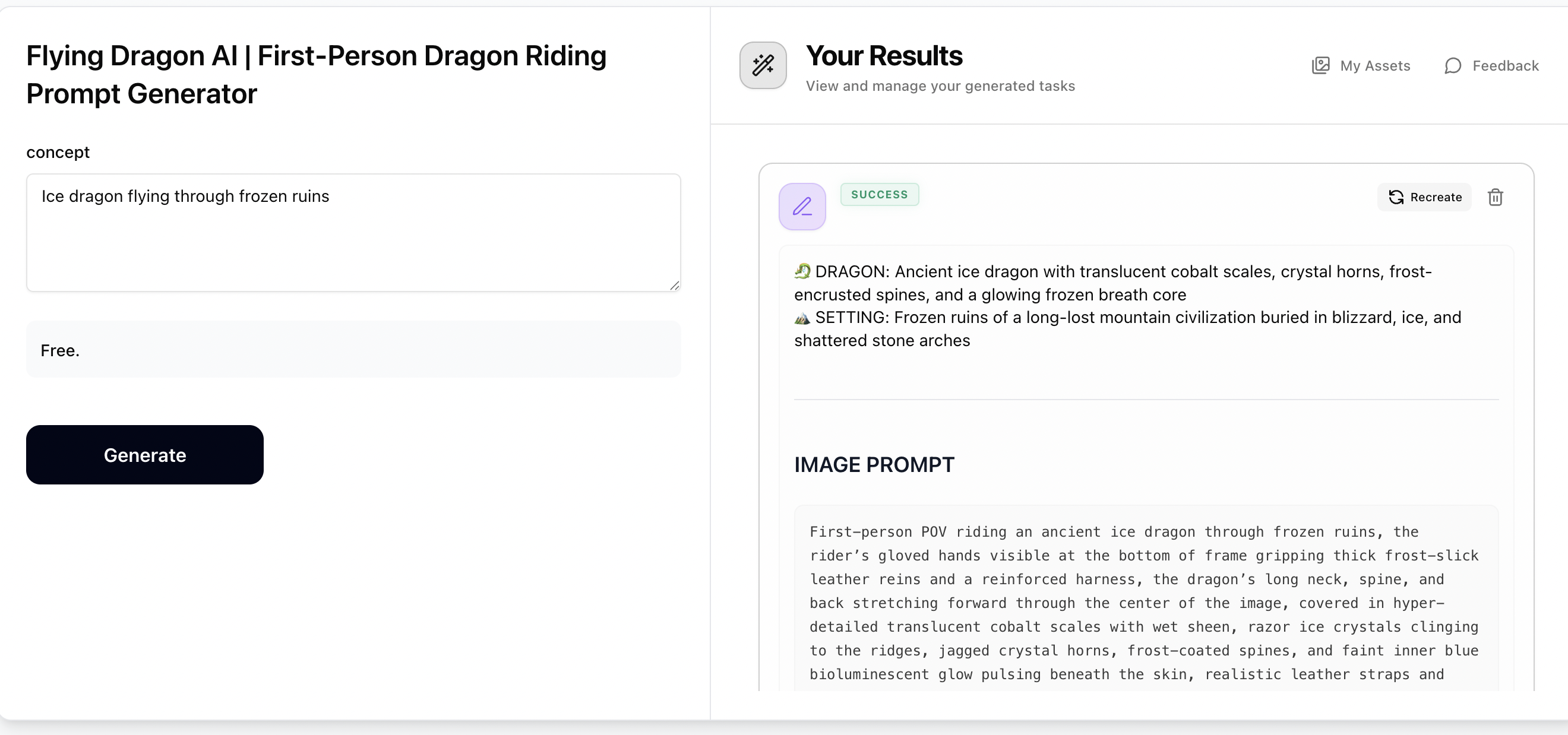
Step 1: Generate Prompts with Flying Dragon
Enter any dragon concept — a dragon type, world, theme, biome, or mood (e.g. Void dragon over a shattered moon, Ice dragon through frozen ruins, Cyberpunk thunder dragon). The Flying Dragon prompt generator will output a cinematic first-person POV image prompt and a dynamic video prompt, both hyper-photorealistic and ready to use. Copy both prompts for the next steps.
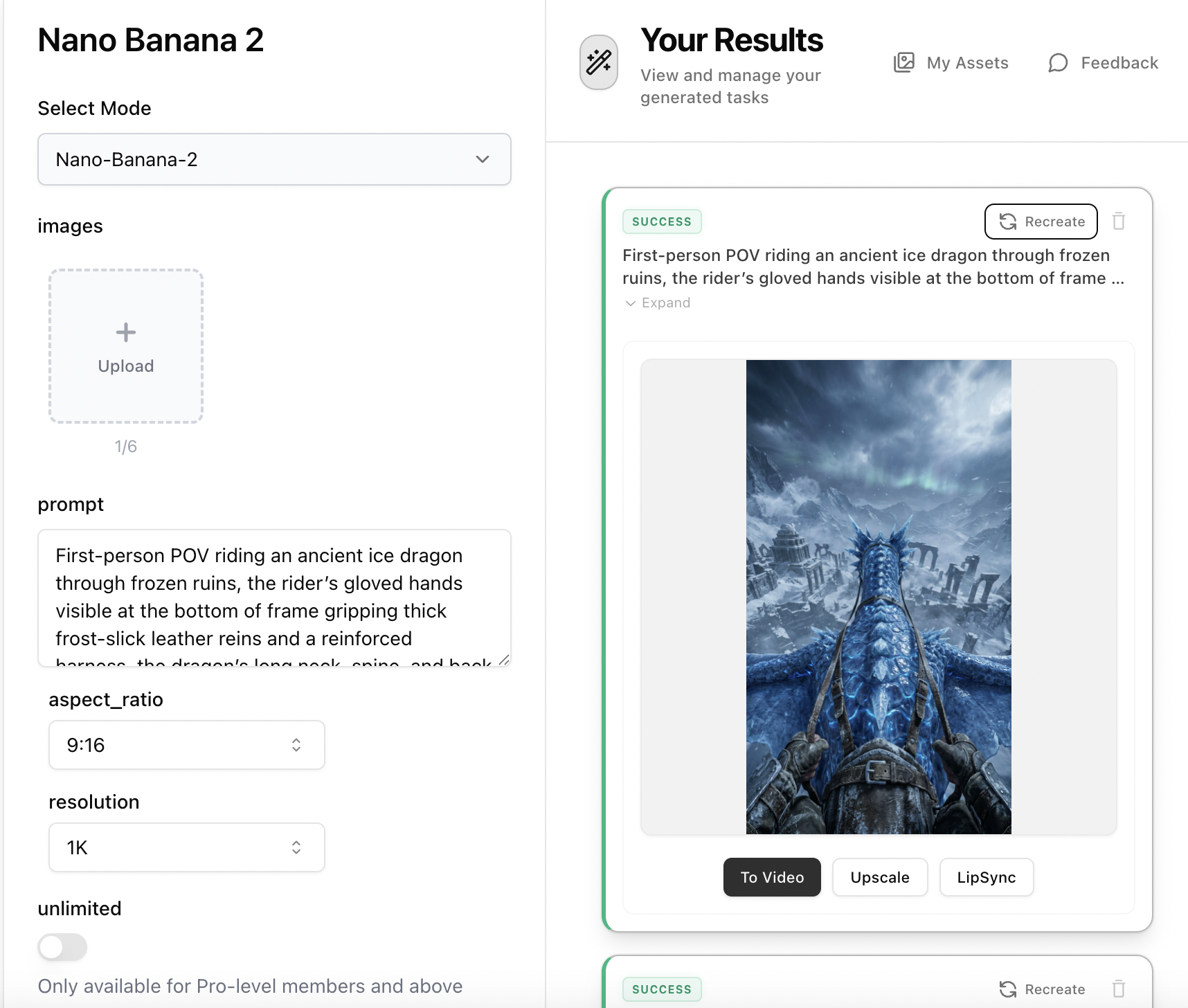
Step 2: Create the Dragon Riding Image with Nano Banana 2
Open Nano Banana 2, paste the 'Image Prompt' from Step 1 into the prompt field. No reference image is needed — the prompt contains all visual details including dragon scale textures, rider hands gripping reins, and cinematic environment. Set aspect ratio to 9:16 and resolution to 2K, then generate your hyper-photorealistic first-person dragon riding image.
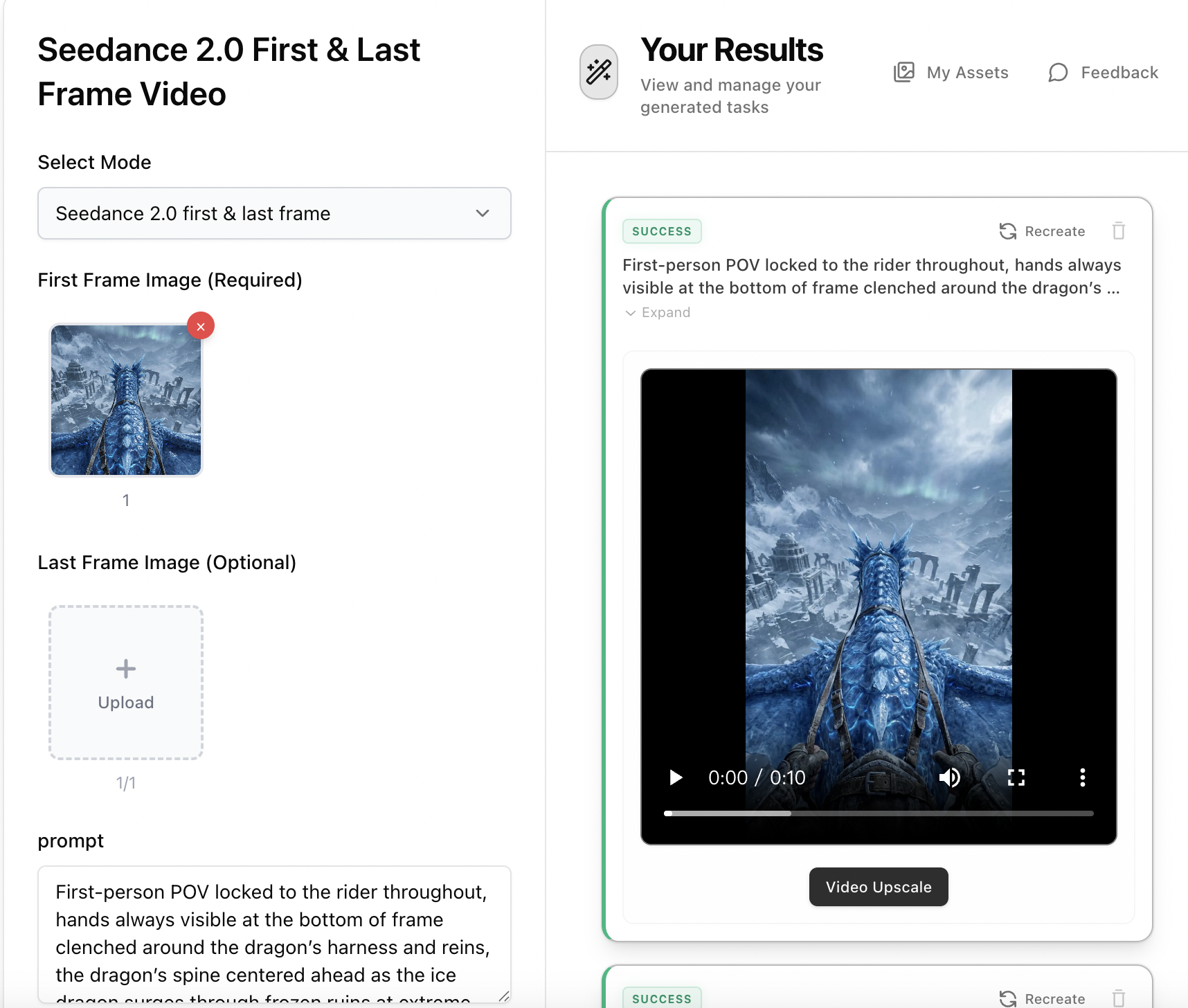
Step 3: Animate with Seedance 2.0 First & Last Frame Video
Open Seedance 2.0 First & Last Frame Video, upload the dragon riding image from Step 2 as the first frame. Paste the 'Video Prompt' from Step 1 as your motion description — it includes aggressive banking turns, dives, climbs, and environmental interaction. Select 9:16 aspect ratio, 5-10s duration, and Pro mode for the most cinematic result.