
Mini Rescue AI | Giant Hand Saves Tiny People Prompt Generator
Tus Resultados
Ver y administrar tus tareas generadas
Mira cómo funciona
Vista previa de los resultados que puedes crear
Esta es una demostración de lo que puedes crear con esta herramienta. ¡Pruébalo tú mismo creando una nueva tarea!
Create a Mini Rescue Video in 3 Steps
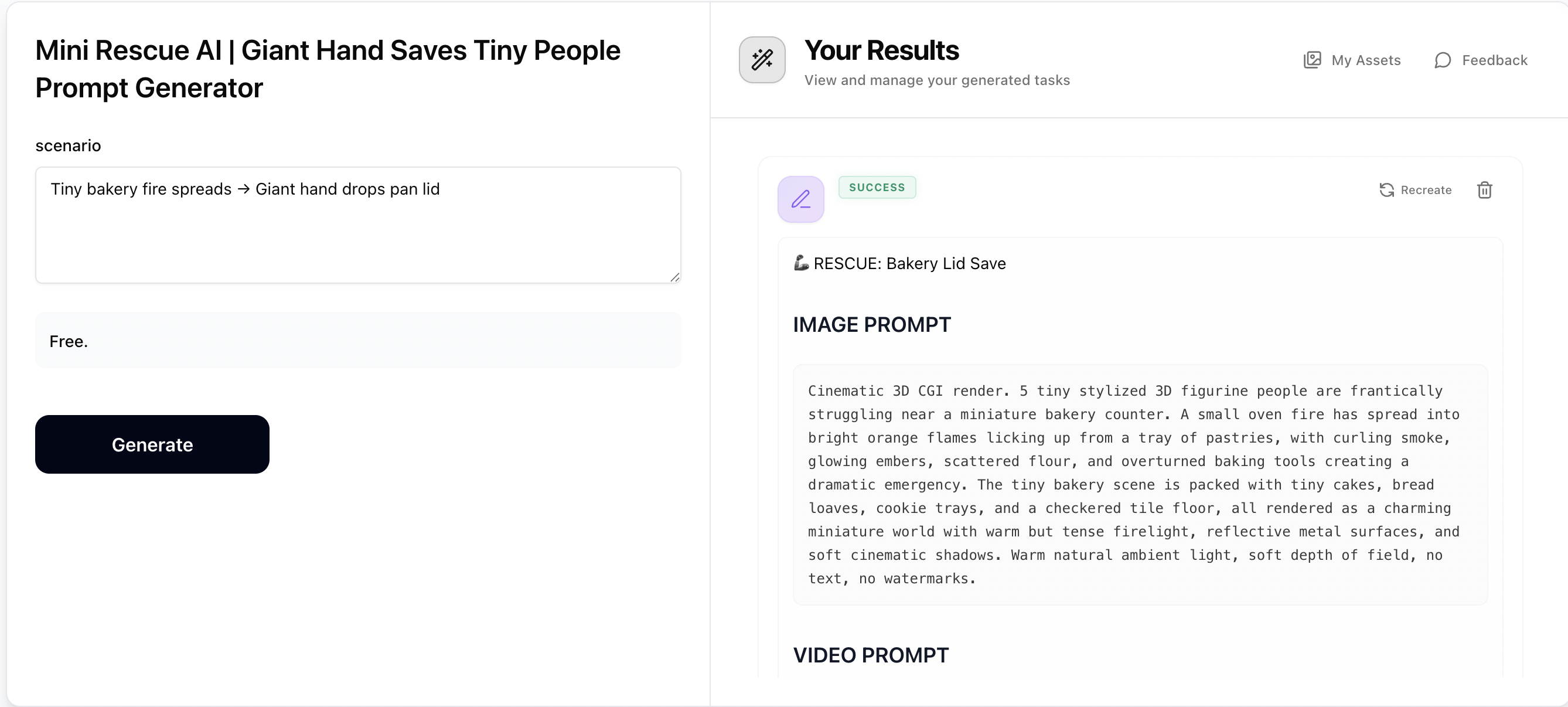
Step 1: Generate Prompts with Mini Rescue
Describe a rescue scenario — tiny figurine people facing a dramatic problem (e.g. flooded village, collapsing bridge, trapped in ice). Mini Rescue will generate a cinematic image prompt showing the struggle and a video prompt showing the giant hand rescue. Copy both prompts for the next steps.
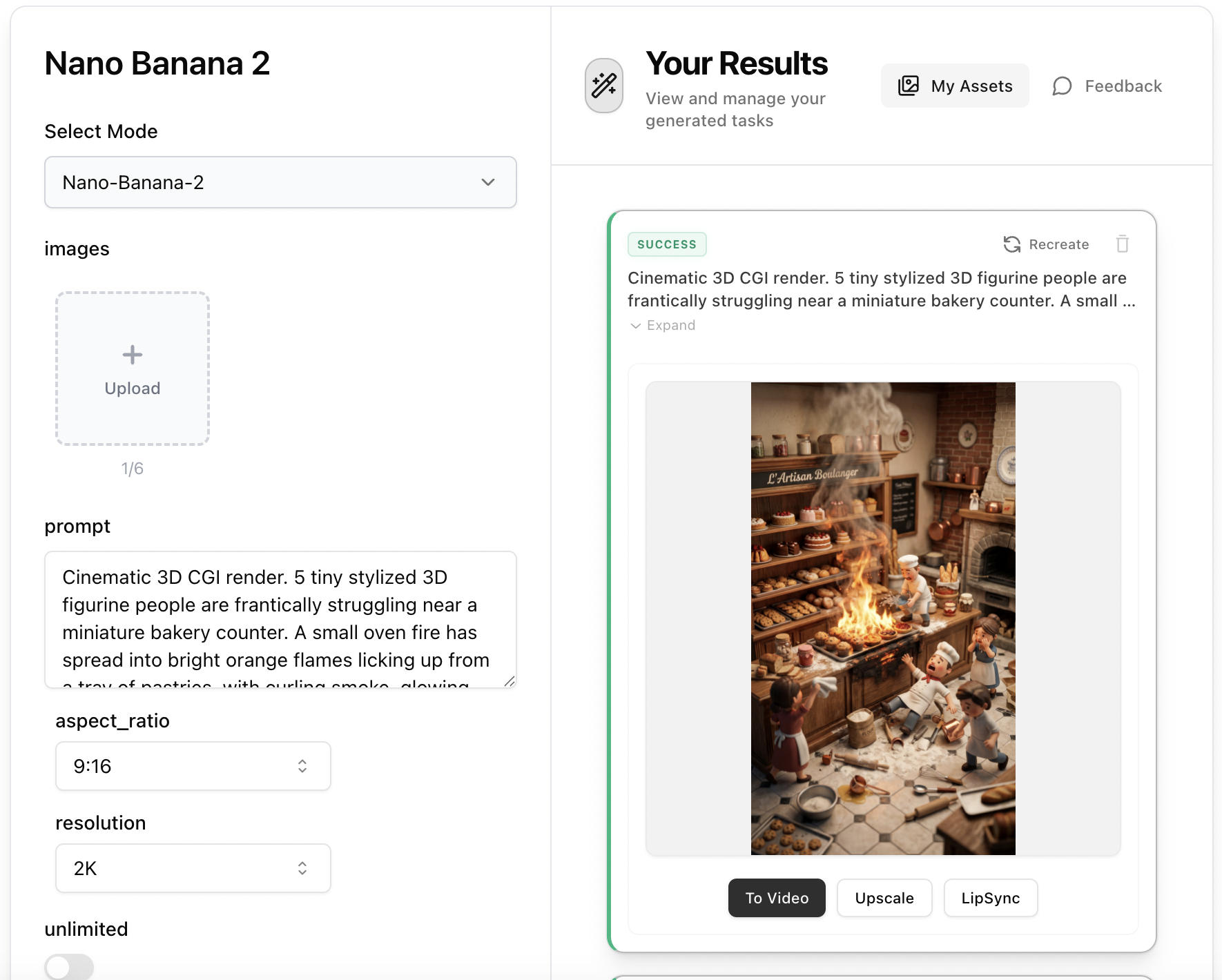
Step 2: Create the Rescue Image with Nano Banana 2
Open Nano Banana 2, paste the 'Image Prompt' from Step 1 into the prompt field. No reference image needed — the prompt contains all visual details including tiny figurines, miniature world, and dramatic lighting. Set aspect ratio to 9:16 and resolution to 2K, then generate your cinematic 3D CGI rescue scene.
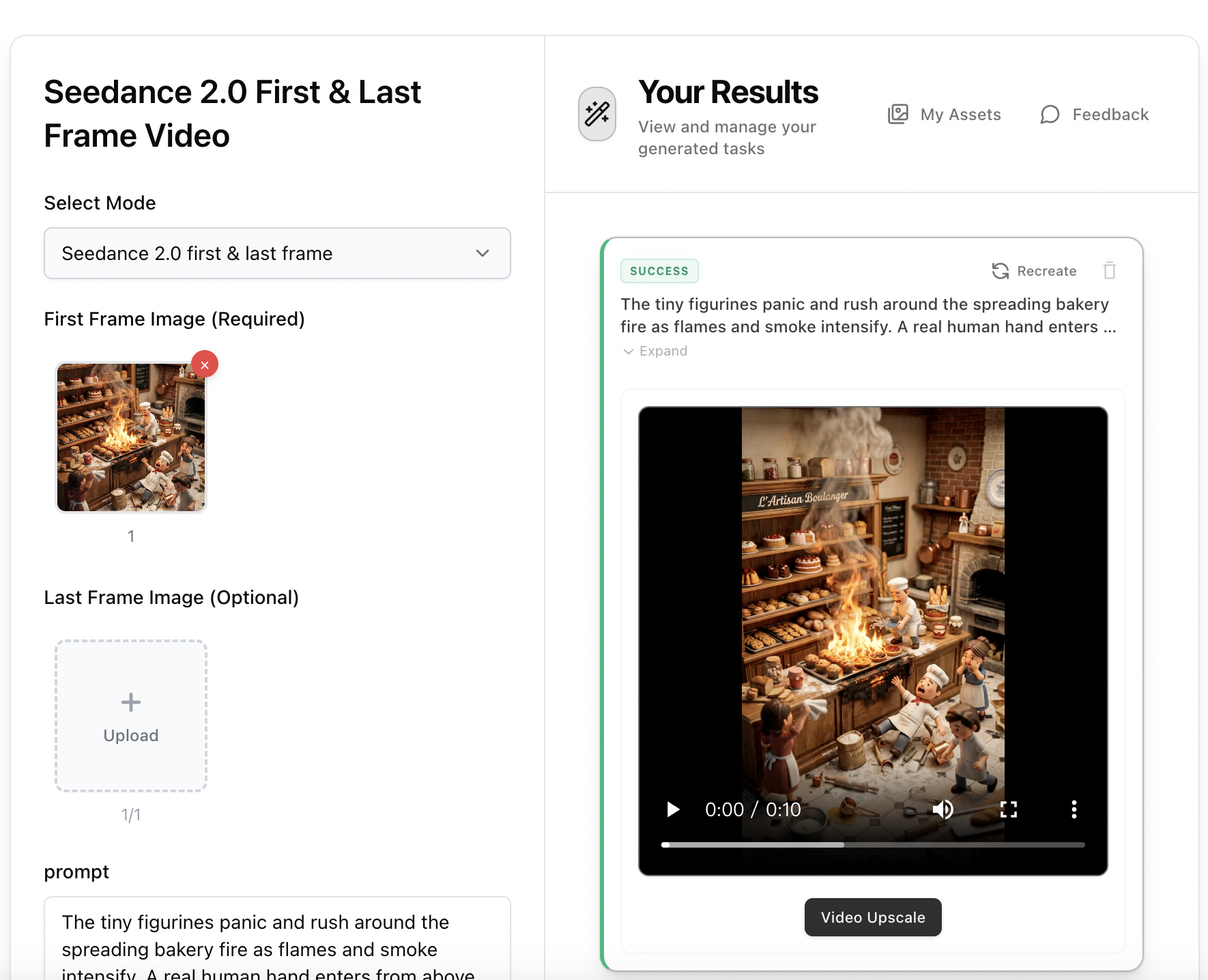
Step 3: Animate with Seedance 2.0 First & Last Frame Video
Open Seedance 2.0 First & Last Frame Video, upload the rescue image from Step 2 as the first frame. Paste the 'Video Prompt' from Step 1 — it includes the giant hand entering, performing the rescue, and figurines celebrating. Select 9:16 aspect ratio, 5-10s duration, and Pro mode for the most cinematic result.