
Flying Dragon AI | First-Person Dragon Riding Prompt Generator
Tus Resultados
Ver y administrar tus tareas generadas
Mira cómo funciona
Vista previa de los resultados que puedes crear
Esta es una demostración de lo que puedes crear con esta herramienta. ¡Pruébalo tú mismo creando una nueva tarea!
Create a Dragon Riding Video in 3 Steps
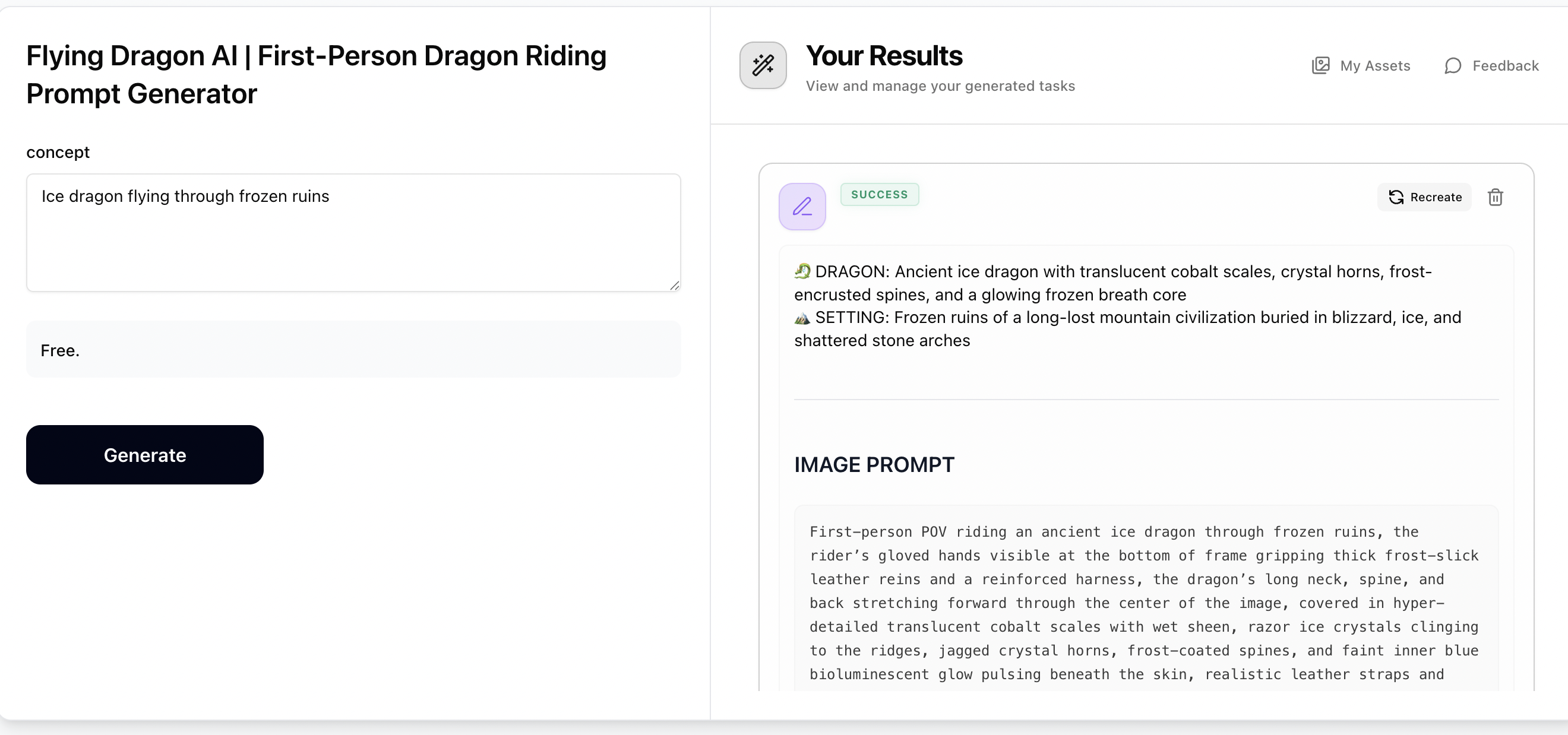
Step 1: Generate Prompts with Flying Dragon
Enter any dragon concept — a dragon type, world, theme, biome, or mood (e.g. Void dragon over a shattered moon, Ice dragon through frozen ruins, Cyberpunk thunder dragon). The Flying Dragon prompt generator will output a cinematic first-person POV image prompt and a dynamic video prompt, both hyper-photorealistic and ready to use. Copy both prompts for the next steps.
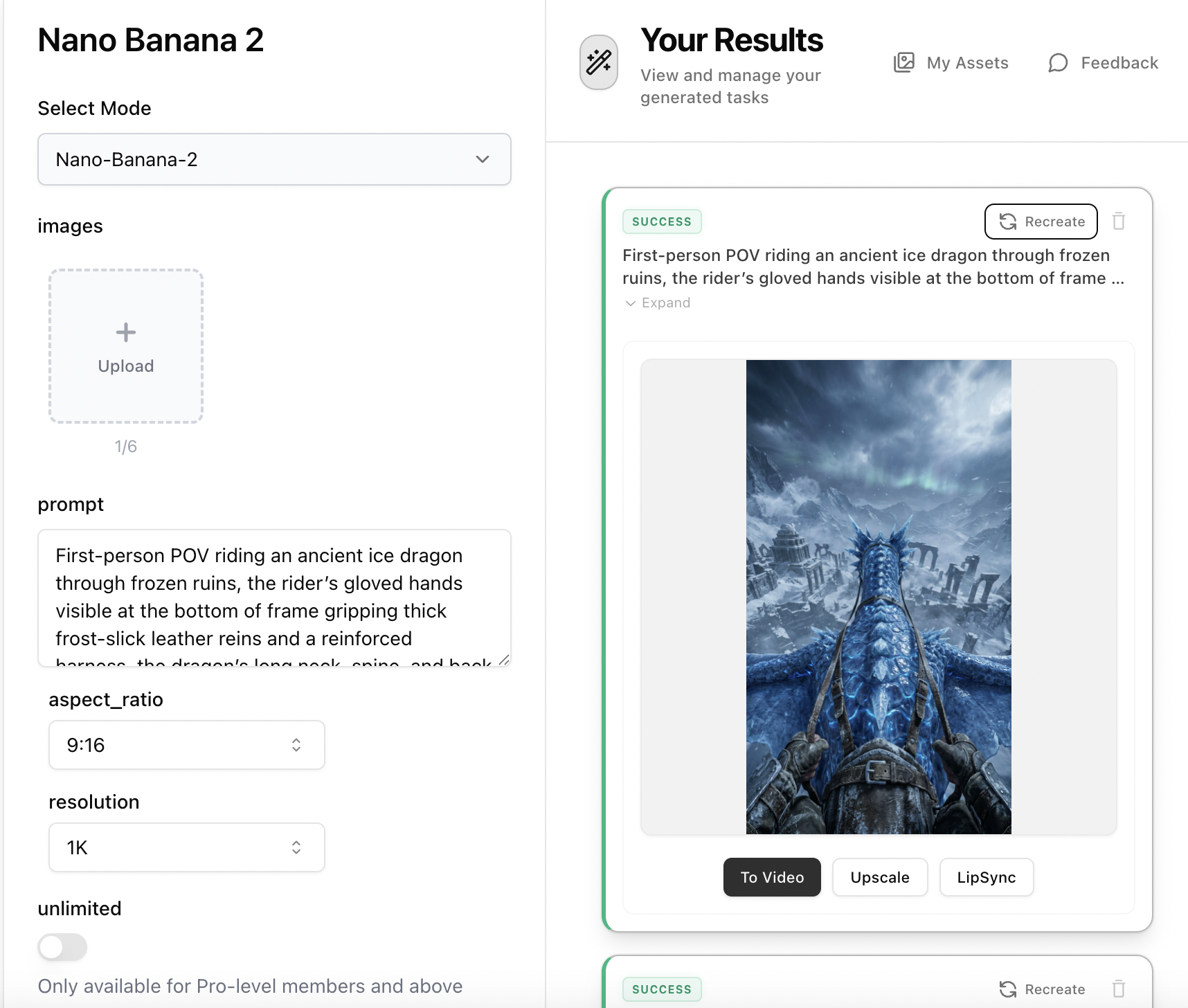
Step 2: Create the Dragon Riding Image with Nano Banana 2
Open Nano Banana 2, paste the 'Image Prompt' from Step 1 into the prompt field. No reference image is needed — the prompt contains all visual details including dragon scale textures, rider hands gripping reins, and cinematic environment. Set aspect ratio to 9:16 and resolution to 2K, then generate your hyper-photorealistic first-person dragon riding image.
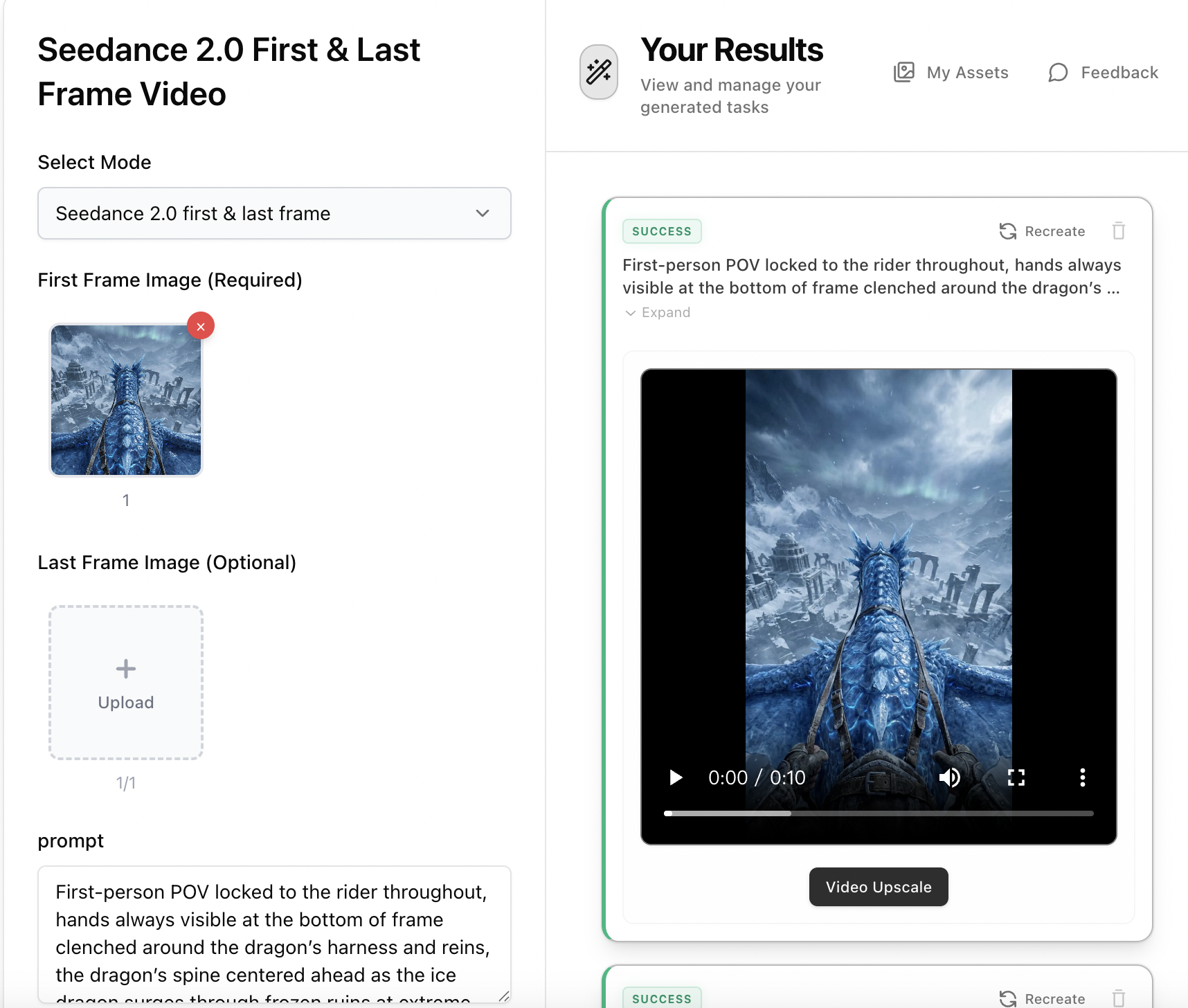
Step 3: Animate with Seedance 2.0 First & Last Frame Video
Open Seedance 2.0 First & Last Frame Video, upload the dragon riding image from Step 2 as the first frame. Paste the 'Video Prompt' from Step 1 as your motion description — it includes aggressive banking turns, dives, climbs, and environmental interaction. Select 9:16 aspect ratio, 5-10s duration, and Pro mode for the most cinematic result.